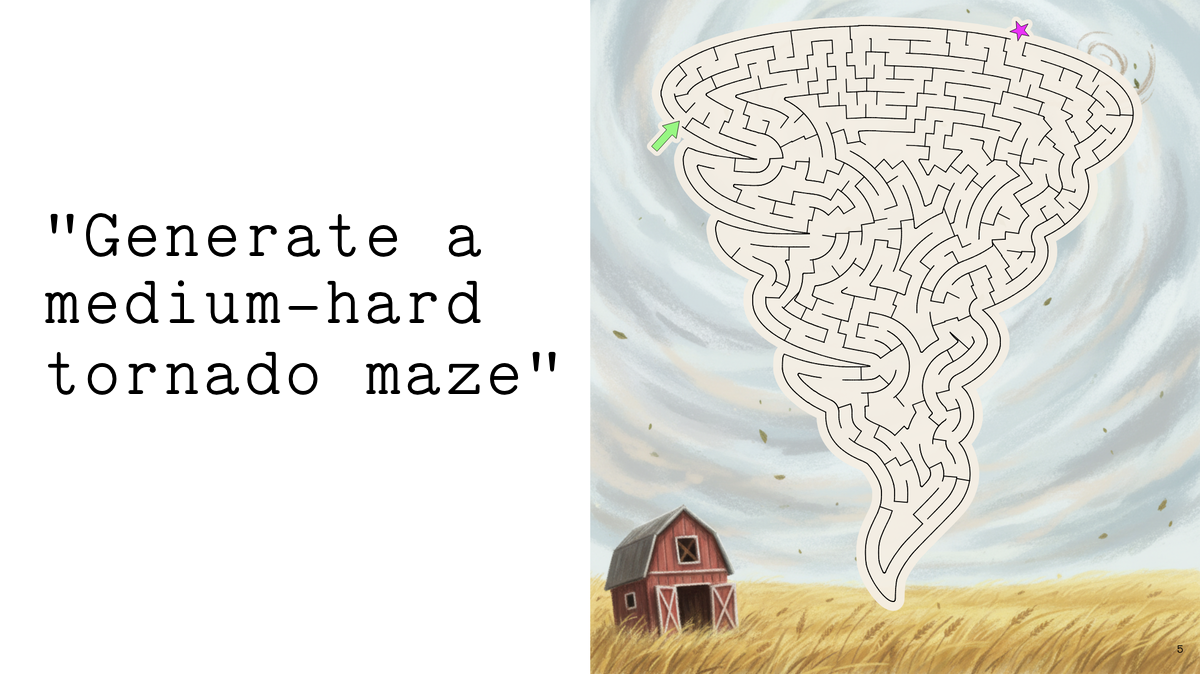
One of my goals when building Elbo Books was to be able to generate beautiful custom mazes based on any theme a kid might dream up. I wanted them to be aesthetically pleasing, like the mazes human artists draw.
This became a fun problem full of rabbit holes. It sits right on the border of “things current AI models are great at” and “things they really suck at”. I like the result and learned a ton from the maze-building community*, so I thought I’d share my approach.

Maze generators
Current algorithmic maze generators that offer “custom shape” functionality tend to rely on the same key assumption:
The maze is composed of a grid of cells, so its outer shape is defined by adding or removing cells along the edge.
This lets you produce custom shape mazes that look like this:

This also implies that if you want to increase the resolution of your maze’s outer shape to make it prettier, you wind up increasing the density of cells and, therefore, maze difficulty.

These mazes don’t satisfy my requirement of “beautiful custom art that looks like a maze a human might draw.” And I need tight control over maze difficulty so we can match mazes to kids of different abilities, so shape resolution can’t be tied to maze complexity.
I learned a lot from these generators* but needed to look elsewhere.
AI image gen mazes
I initially held out a bit of hope that some clever combination of prompting + strict input masking would let current AI image generators one-shot beautiful custom mazes for me. I never succeeded at this despite a lot of varied attempts and relaxed constraints.
I also dread being the guy with a blog post on some limitation of AI that looks stupid in 3 months. It’s Dec ‘25 and Nano Banana Pro was just released. Maybe Nano Banana ProEliteUltra is gonna crack it for $0.47/maze.
But mazes are sort of a pathologically difficult case for image generation. They have non-local structure that requires strict global graph constraints, not just “does this image look coherent.” Example: “this path better not dead-end way up here in the upper-right corner, due to decisions that were made in the lower-left corner.” Plus, tiny graphical mistakes can easily ruin the whole thing.
(Note that my use case requires consistent correctness. If spending $15 to generate 100 mazes, visually inspecting them, and choosing the one that’s not broken works for your situation…Nano Banana Pro can do some impressive stuff.)
In order for AI to one-shot mazes like these, one of three things will have to happen:
- An upcoming big image gen model will have new functionality such that it can follow strict global structure constraints that are far more precise than Nano Banana Pro’s already incredible ability to guide structure. Then, it will have to combine this ability with knowledge of what makes a good maze (presumably via internalizing approaches like recursive backtracking, Kruskal’s algorithm, etc†).
- Somebody will train their own one-off model specifically for the purpose of generating mazes that combines (A) maze structure generation (again via backtracking, Kruskal’s, …) with (B) some image gen abilities (for maze shapes/cell shapes/creative flourishes).
- Forget image gen, just let an agent write code that generates this stuff the same way I did it below. For now, this problem is so full of subtle visual and stylistic “gotchas” - and is far enough outside the domain of typical codegen fare - that it still needed a human working closely with AI to code up a solution.
I see no reason these can’t happen other than debatable financial motivation.
Until then, we’re left with AI image gen tools that can make TAUNTINGLY beautiful graphical things that look like mazes but definitely aren’t:

As pleasing as these are at first glance, they’re not so fun for a kid trying to solve them. Some are just plain broken with dead ends, others are boring:
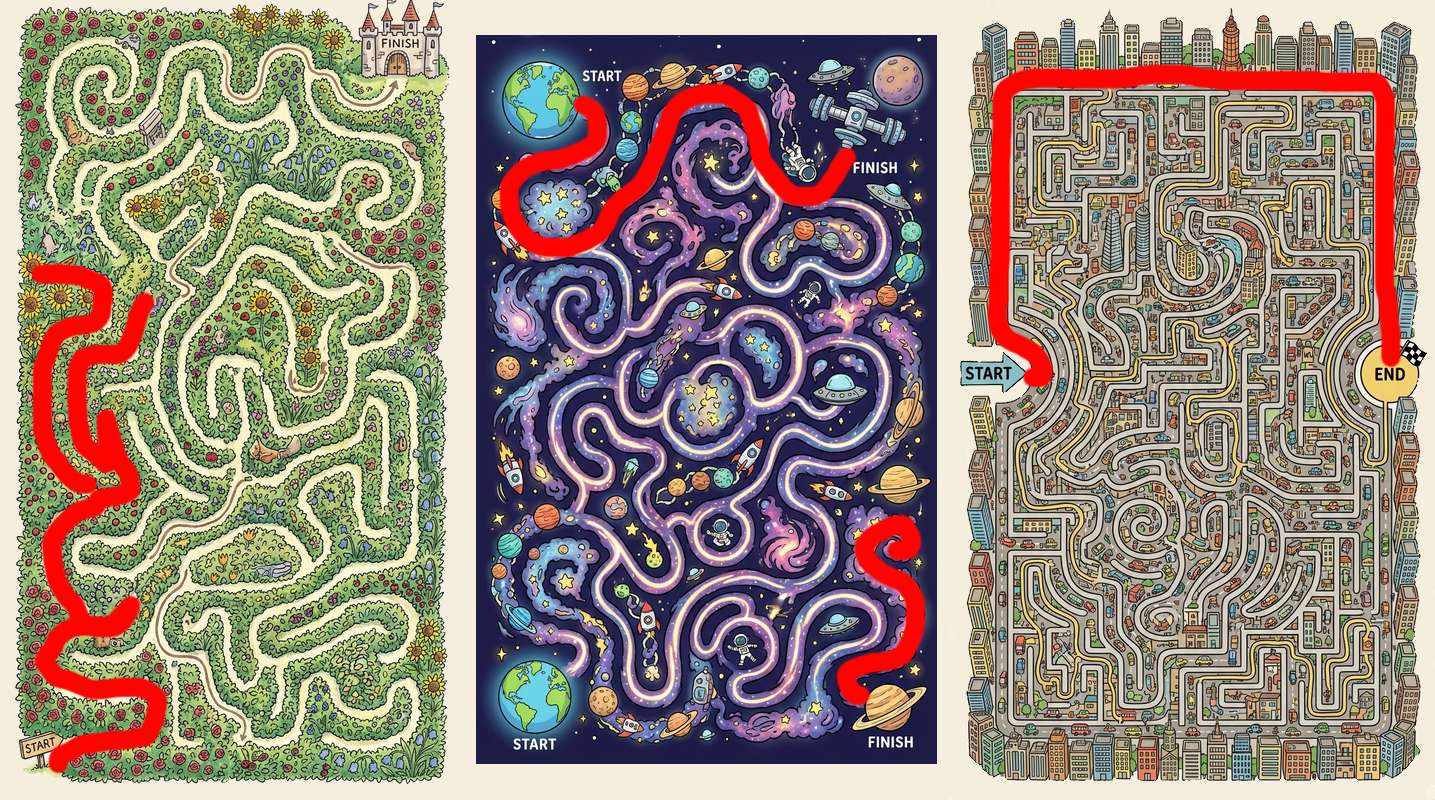
…which makes sense given what these image models are doing and their lack of precise global structure constraints. No amount of prompt specificity or threatening the model with jail can reliably fix this with current models.
My first instinct was to try using an inpainting model that respects strict masks. Take a nicely themed background image, mask the correct maze structure on top, and ask the inpainting model to fill in a beautiful “path” of some sort. I thought I might get some beautifully-themed graphical results even if the maze structure itself was a plain ole rectangle.

Meh. The results tended to just look a lot like the masked area was “erased” rather than “themed,” and the more I increased creativity to let the masked path look beautiful, the more likely the model was to subtly break maze structure.
I could play with upscalers to make the result a bit interesting:
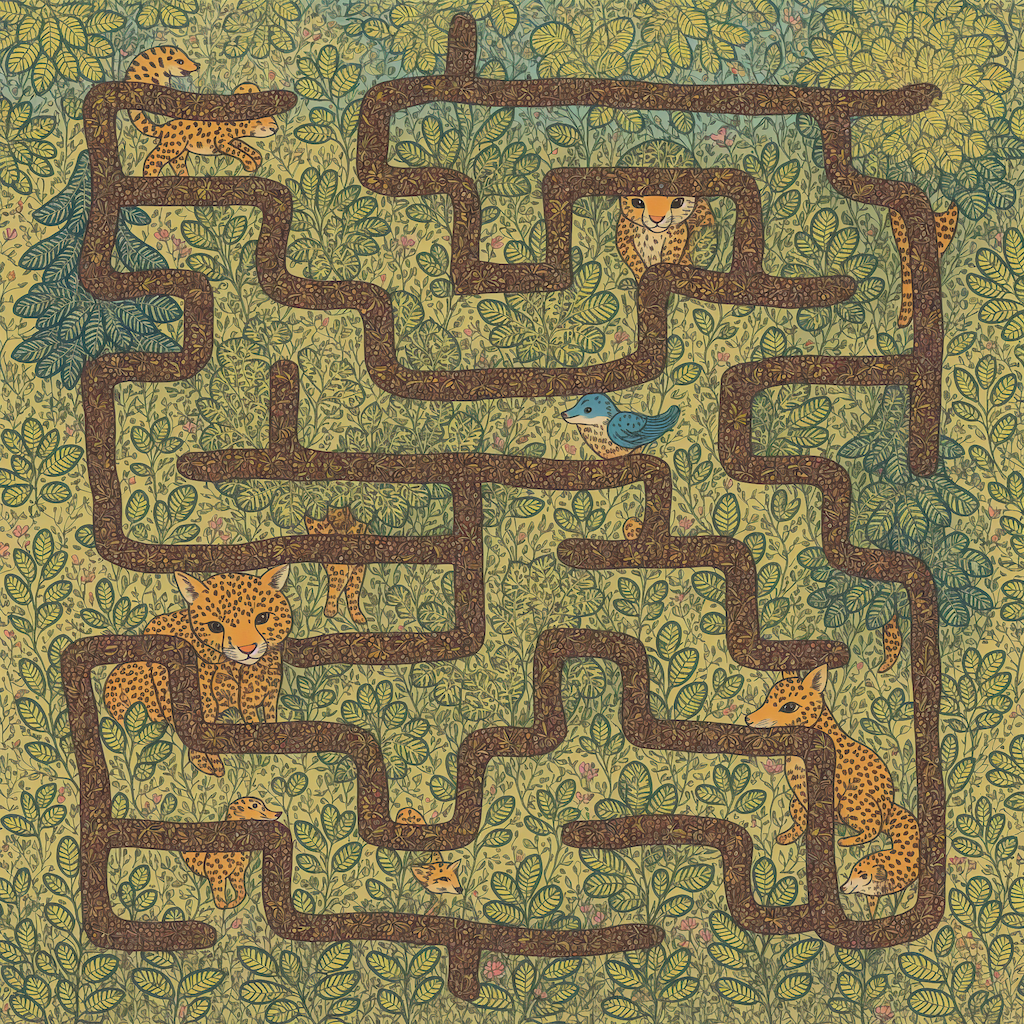
But it still wasn’t the reliable solution I needed.
Giving the inpainting model “more room to work” produced some interesting results (in this case by inverting the maze design such that we’re masking/inpainting thick walls, not paths, and removing all other parts of the image):
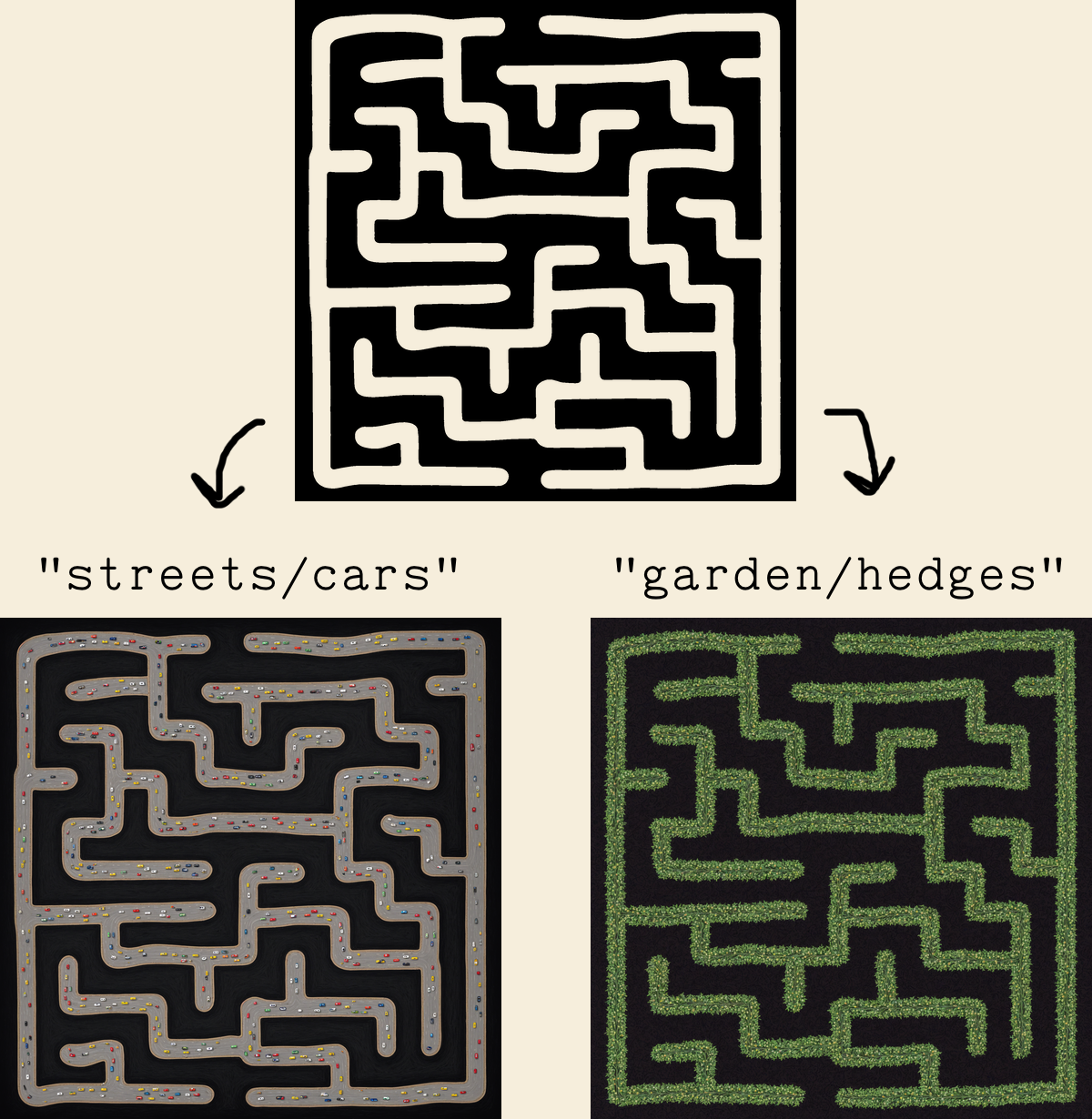
But there are two big problems.
First, the inpainting/mask-respecting models out there aren’t Nano Banana-level (yet). And this is a really hard problem. Things work reasonably well when the theme is naturally “maze-adjacent”, like “garden full of hedges” or “city full of streets.” But once you start throwing arbitrary themes at it, results get real rough real fast. Even when you use an intermediary LLM to design the most maze-friendly instructions possible, such as transforming the theme “rhinoceros” into “lines of small rhinoceros and waterholes arranged in rows and columns like the walls of a maze,” things fall apart.
Second, results get worse and worse as you increase maze complexity. And any attempt to use an upscaler or followup model to refine the image risks breaking maze structure.
Finally, I tried using style transfer models to combine the beauty of a top image model’s maze imagination (as a source style) with the correctness of a pre-generated maze (as target image). These were some of my best results. But they still struggled with themes that weren’t “maze-adjacent,” and most importantly, they’d frequently fail to preserve maze correctness in subtle-but-ruinous way.
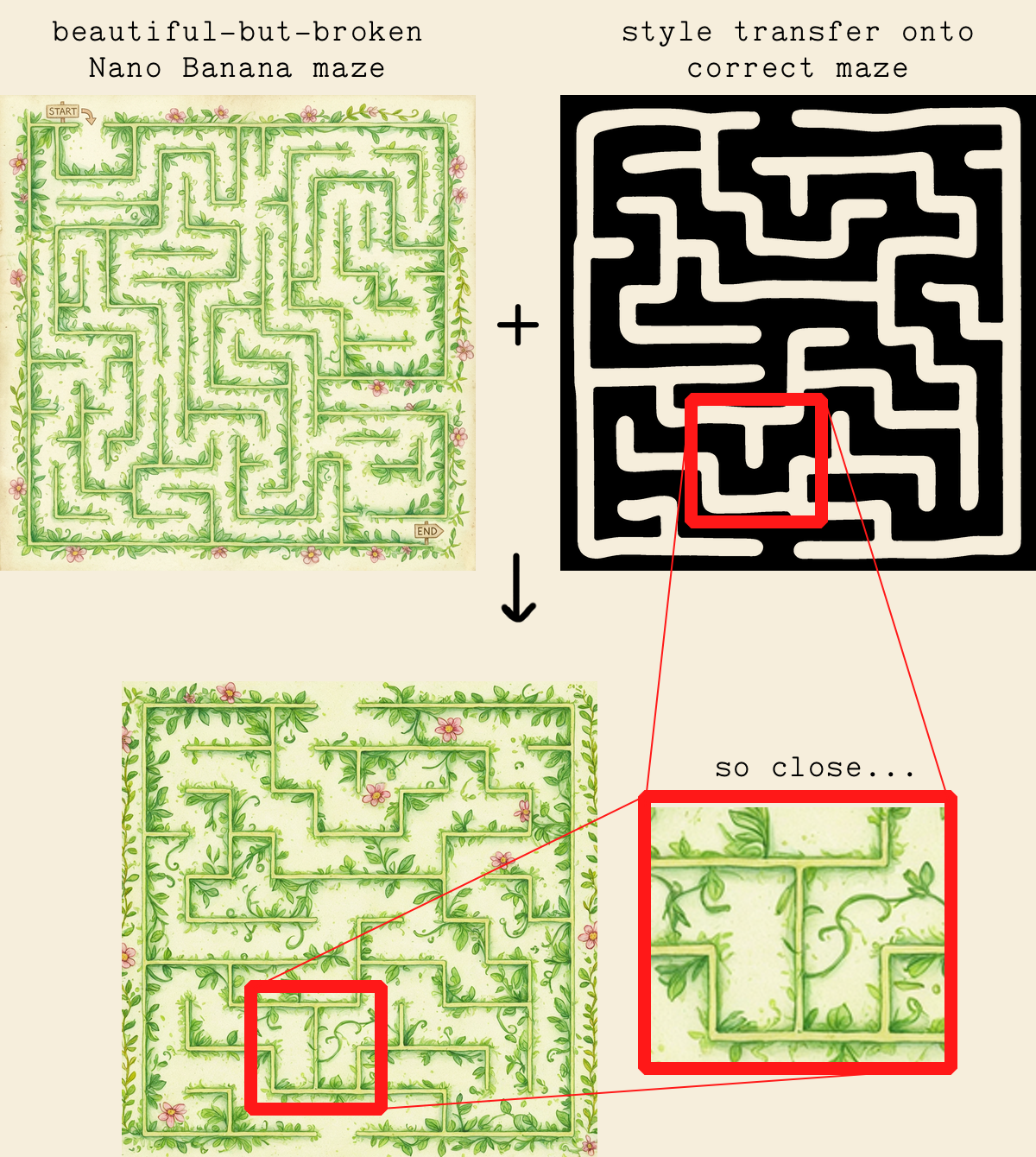
As tempting as this result felt, things get less and less reliable as maze complexity scales up.
So, after failing to find a lazy solution, the Elbo Books team (me + my 7-year-old + our AIs) decided to dive into maze generation ourselves.
AI gen shape + custom coded maze
I started with the assumption that I wanted to take an arbitrary theme, generate an artistic background, and overlay a maze in the shape of something thematically relevant.
Which boils down to filling an arbitrary shape with a maze.
There’s an “easy” way to approach this: generate a standard maze grid, shove it inside the arbitrary shape, and clip all the walls where they intersect the shape boundaries. Then you’d have to make sure that your maze’s solution plays nice with the newly modified graph of clipped cells.

I’m not satisfied with how this looks, so I never pursued it. It doesn’t have anywhere close to the appeal of a human-drawn maze.
A human designing a maze will naturally contort the inner structure such that its curves aesthetically match the maze’s overall shape while keeping an interesting solution in mind. This makes them beautiful!

I’m just an ancient full-stack web dev type, so writing code to make this sort of thing isn’t my terrain.
Luckily, back when I was searching for pre-existing maze generators that could do what I wanted, I stumbled upon a useful comment in /r/mazes:
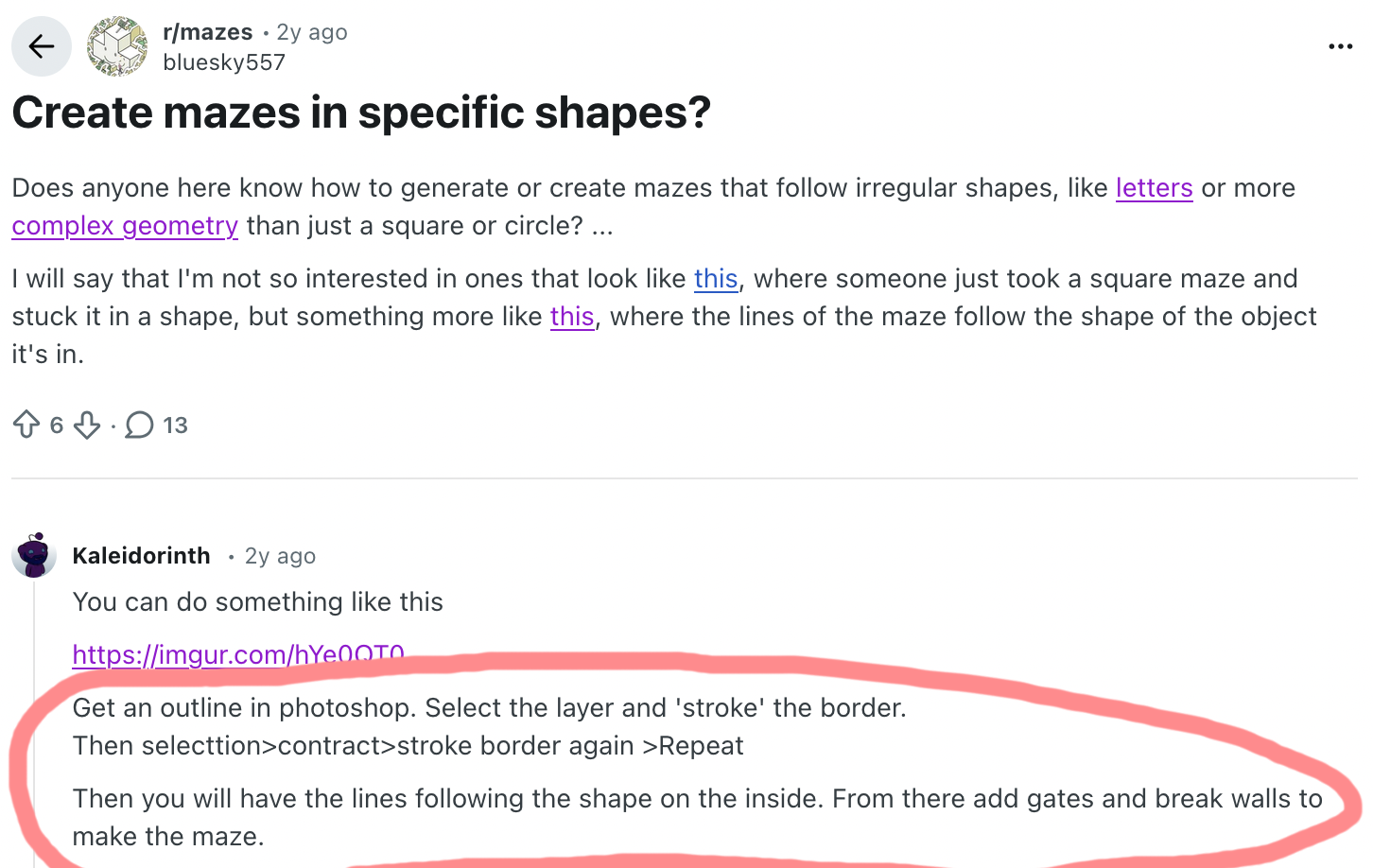
That comment + a few key pages from Jamis Buck’s Mazes for Programmers + a healthy dose of confidence thanks to Claude Code by my side was enough for the following solution:
Our solution
1. Generate shape to be maze-ified
Prompt an image model asking for solid black silhouette of [object]. Use any number of libraries to trace the image and get an SVG path (I used potrace + sharp).

(As with the rest of these steps I’m glossing over a lot of detail. For example, there’s considerable nuance in coaxing a maze-friendly shape out of the image model in this first step.)
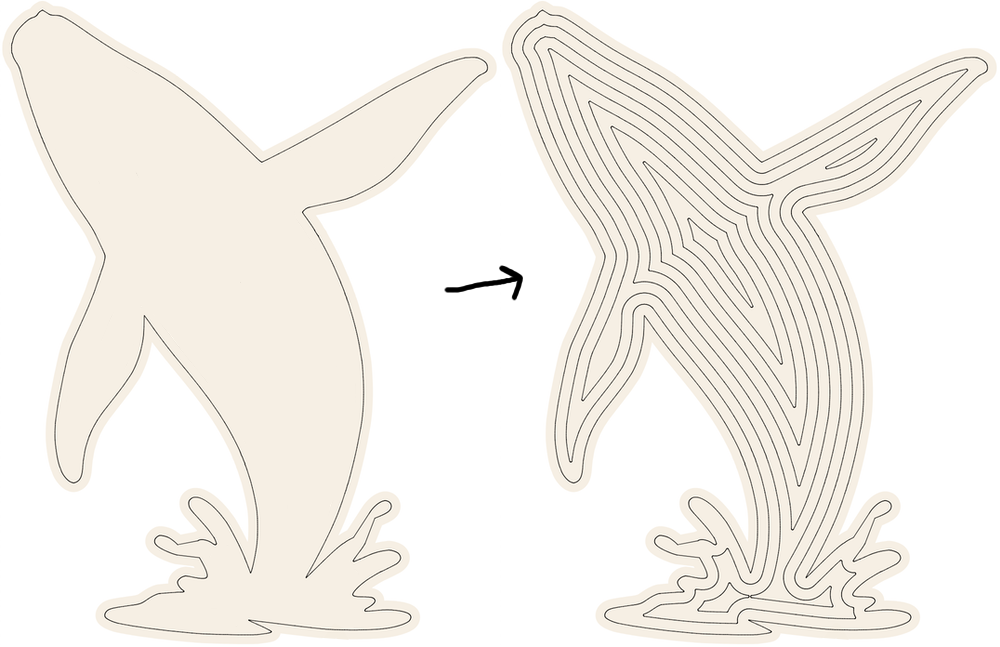
2. Create inwardly-offset ‘layers’ inside shape
Use a polygon offsetting library to turn the SVG path into progressively smaller versions (I used Clipper), filling the shape with offset ‘layers’ until offsetting any further can’t generate another path.
The offset distance of these layers defines your “layer density” and is one of the first dials to tweak to control maze difficulty.
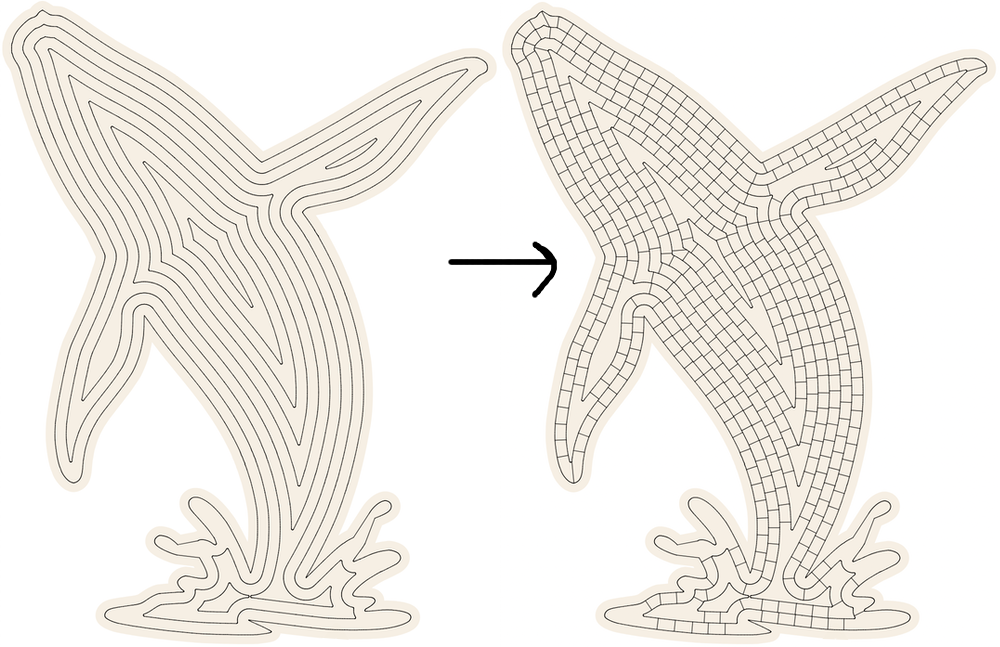
3. Draw perpendicular walls between each layer
Walk along each layer, drawing wall paths inward at perpendicular angles, stopping each path any time you intersect any other line.
The spacing of these walls defines your “wall density” and is another maze difficulty dial.
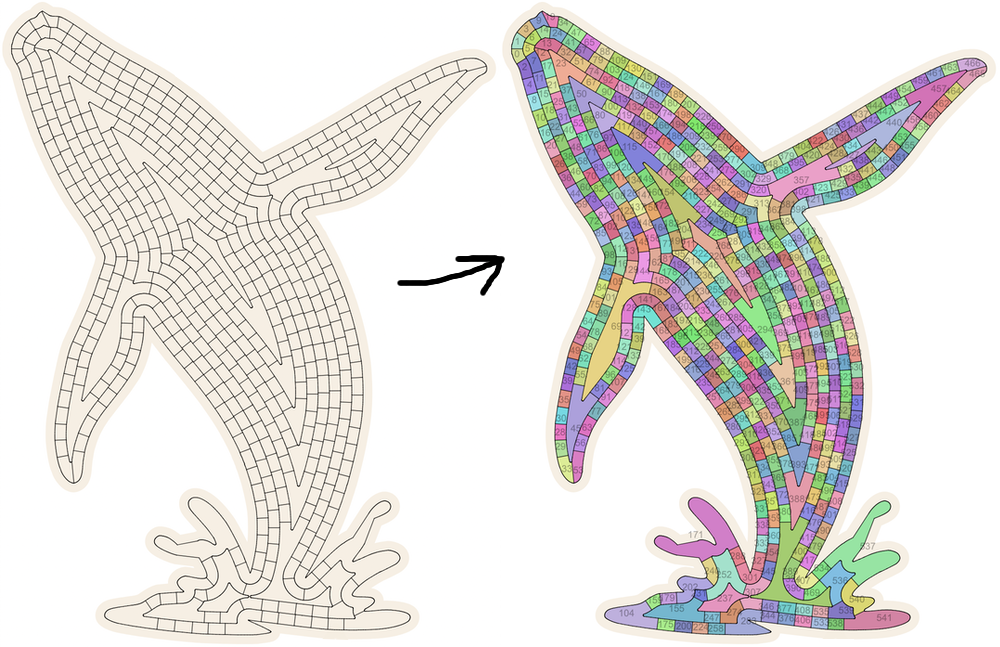
4. Identify cells of the maze
Now, to your eye, it will be obvious that your layers + walls have created a bunch of cells that fill the shape. You need to identify them and their paths in order to run graph algorithms that turn these cells into a maze path.
Since you already have a graph of all line paths and none of the edges overlap, you can feed your nodes and edges into a planar face discovery algorithm (I used planar-face-discovery). This will identify all the faces (maze cells) in your graph.
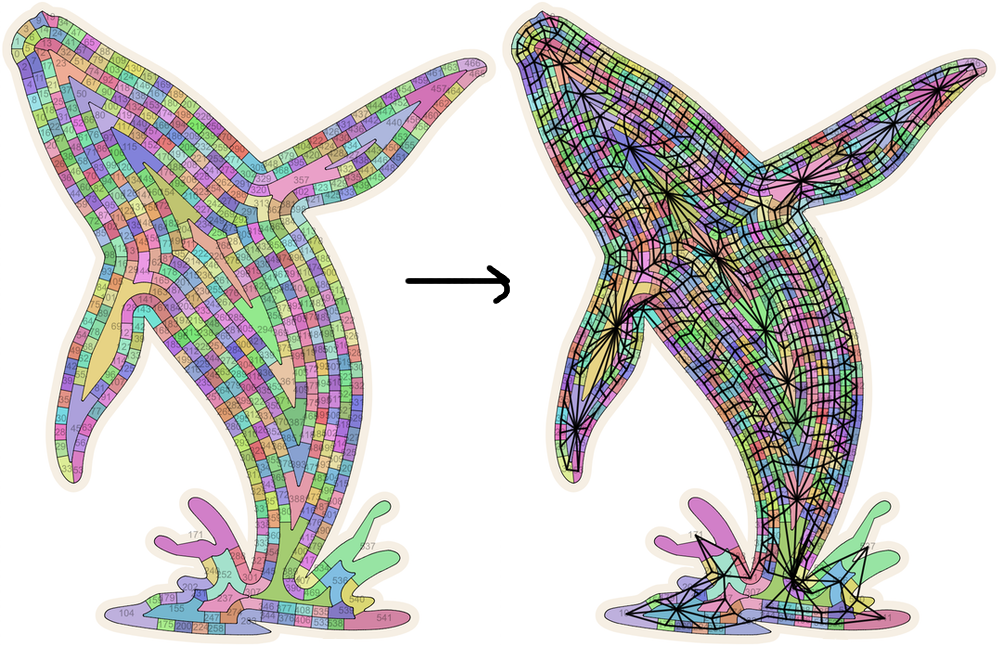
5. Find cell connections
Now the only thing between you and running a maze generation algorithm on your cells is knowing which cells are connected. I did this by finding shared edges that belong to exactly 2 faces from the above step and are longer than some minimal length.
This lets you build a full graph of cells and their connections to other cells.
6. Run a maze generation algorithm
You have a graph of connected cells! You need to decide which walls to remove to create a cool maze. That’s the well-trodden terrain of maze generation algorithms. They don’t care that some of your cells are curvy and some are big and some are small.
Pick an approach and use one of the well-known algorithms to decide which cell-to-cell connections need to be “opened up” to create your maze. (I use recursive backtracking, Prim’s, Kruskal’s, and growing tree depending on the circumstance. Jamis Buck is great for anybody trying to understand the tradeoffs between these algorithms†. They generate mazes with very different vibes!)
You’ll now have a list of cell-to-cell connections that need to be “opened up” in your rendered result.

7. Remove cell-to-cell openings
Remove pieces of your graph’s edges to open up paths between cells identified in the above algorithm.
You probably don’t want to just remove the entire shared path between two cells (since the cells can be any shape and the shared edge may be very long and curvy) and instead want to identify an appropriately-sized section in the shared edge to open up.
8. Pick start and end points
There are a number of ways to choose good start and end cells. You probably want to find an “interesting” path.
I run a two-phased approach where I (A) pick a bunch of scout cells around the border, run BFS on them to find the distance to all other border cells, and then identify the border cells that have high distance from lots of scout cells (these are cells with high “eccentricity”). Then (B) I take a subset of those high eccentricity cells and run full BFS from those, this time picking the best pair of start/end cells based on a combination of path distance and other subtler artistic points (like whether or not the cell’s outer edge makes for a good location for an entrance/exit arrow).
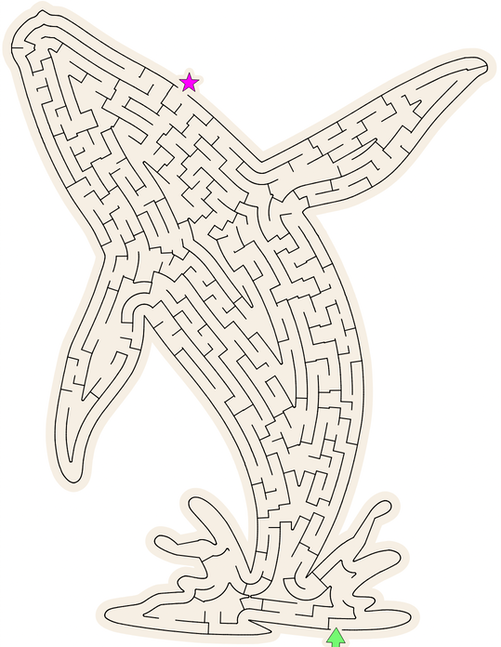
9. Render the thing!
Draw the resulting graph and you’ve got a beautiful maze filling a custom shape with aesthetically pleasing curves!
10. Controlling difficulty
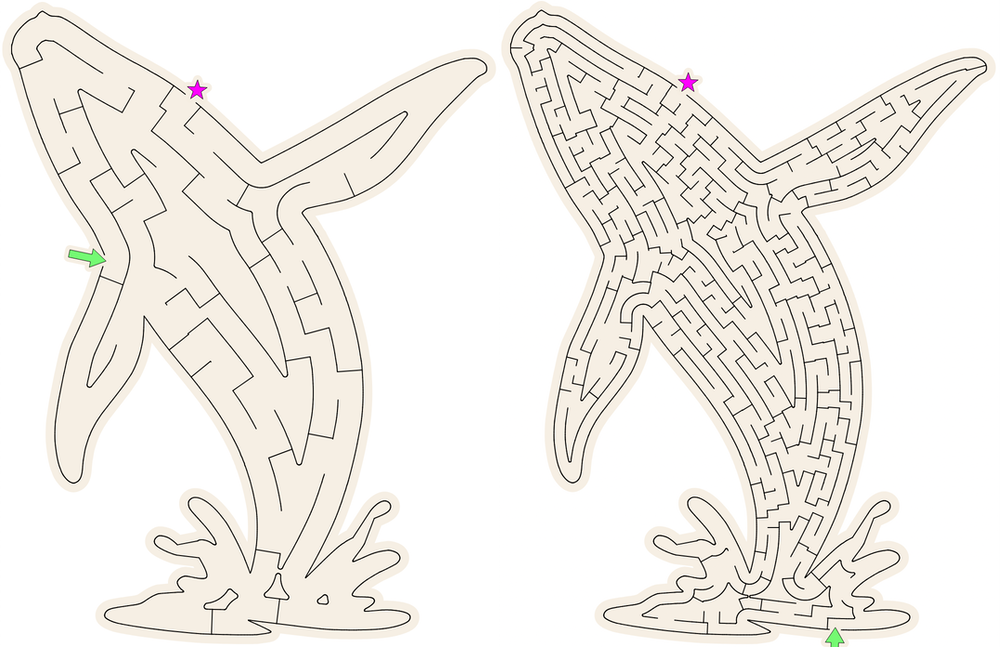
This approach gives you the three big levers for controlling difficulty:
- layer density (offset distance between layers drawn)
- wall density (offset distance between walls drawn), and
- choice of maze algorithm
All of these are easy to adjust in the above steps. In our case, we’ve tuned them to adjust mazes for 5 year olds vs 7 vs 9, etc etc.
11. Adding bonus goals
The flexibility of the “draw a bunch of lines, then find cell faces, then find cell connections” approach lets us do other cool stuff! For example, I wanted to make mazes that have “bonus goals” — think stuff like “Get to the exit but not before first collecting all the sneakers!”
You could try to just cram a sneaker image inside the cells as-is, but now the size of the sneaker is constrained by the size of your cells, and that breaks real fast when mazes get complex.
Instead, with our approach we can just generate a circle path of any size and plop it down right on top of the maze anywhere we want! Do this before the planar face detection algorithm runs, and the circle will be discovered as a cell in the maze. Then draw the sneaker inside the circle and you have a great sub-goal.

(You’ll have to detect which lines are overlapped by the circle and remove those, creating new nodes where the circle intersects other paths, thus joining it into the rest of your graph. This is the type of thing Claude & co are great at!)
12. Gotcha: pinch points
I’ve glossed over a lot of detail. Tons of debugging and testing went into getting this system to reliably generate trustworthy mazes that can be handed to kids. The biggest pain was removing sources of “pinch points”, or “really small gaps that the graph algorithm treats as an opening but the human eye isn’t too sure about.”

These can be caused by all sorts of things in the above workflow. Removing them has required a lot of studying edges cases.
The biggest trick is to not let the maze algorithm use cells with pinch points in the maze’s graph. You can identify these “pinched” cells pretty easily by taking each cell’s path, generating a slightly offset polygon inside that path (again using Clipper or similar), and detecting if the offset path split into two or lost an unexpectedly large amount of perimeter length compared to the original cell.
If these things happened, the cell “collapsed” at a pinch point and can be taken out of consideration for a solution path, just like the red cell above.
More than mazes
We generate a bunch of different types of activities for Elbo Books, and one pattern emerged from this maze work that’s been useful across a lot of them:
Use custom code (usually written in partnership w/ AI) to create a trustworthy, verifiably solvable, and difficulty-adjusted structure for some challenge…
…then use generative AI to take that structure and make it personalized, beautiful, and full of artistic flourishes.
This lesson has come in handy when generating mazes, “Spot the Difference” images, crosswords, and Einstein/Zebra logic puzzles. Maybe I’ll write about those implementations too.
Want to try them yourself? Go buy an Elbo Book and use discount code “I_READ_THE_MAZE_THING” at checkout! They make great personalized gifts worth days of wholesome fun for kids.
* There’s a rich set of maze experts out there who’ve shared their lessons and beautiful work. I learned the most from Jamis Buck’s blog and book, maze generators like Codebox’s, comments in /r/mazes, and brilliant artists like DoYouMaze.
† See Jamis Buck’s walkthroughs of various maze algorithms: recursive backtracking, Kruskal’s, Prim’s, Growing Tree
Thanks Brett Kiefer, Marcia Lee, Ben Komalo, and Jenny Wilner for draft feedback.